History
To prevent version control issues and enable collaboration and sharing between multiple users, the history tab of the control panel records all changes made to the current file. Each change is logged with a brief description and a timestamp. The Undo and Redo commands move the file linearly backwards and forwards through the entire history of changes, all the way back to file creation if desired.
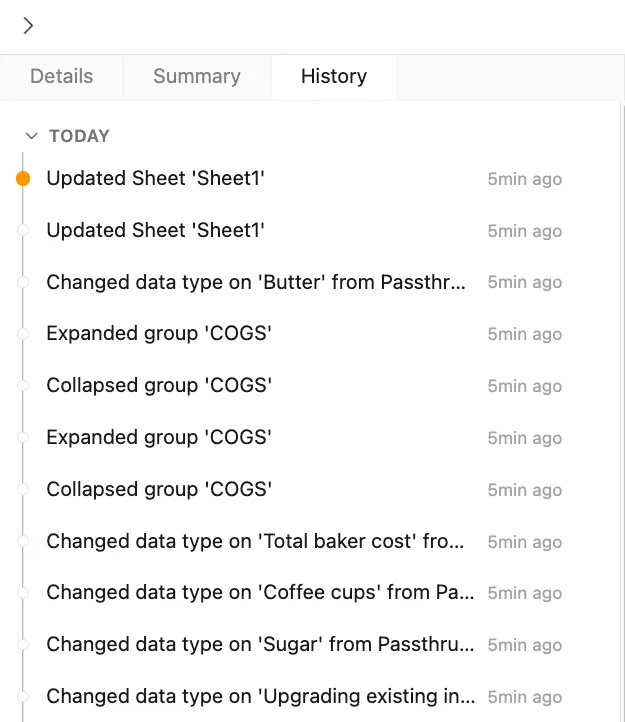 Version 1.0.6
Using the three-dot menu that appears next to each change, the user can go back to the file as it was when the selected change was made by either reverting the open file or opening a new copy of the file.
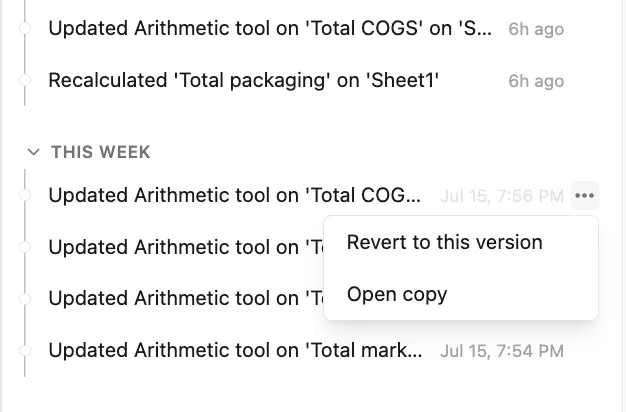 Version 1.0.6
Keyboard shortcuts
Section titled “Keyboard shortcuts”| Action | Windows | macOS |
|---|---|---|
| Undo | Ctrl + Z | ⌘ + Z |
| Redo | Ctrl + Y | ⌘ + Shift + Z |