Outputs
 Version 1.0.5
Outputs are single-cell rows typically with calculated values that sit outside the grid to improve organization and model readability. Outputs are useful when calculating single values that don’t necessarily fit in the timeline of the grid, such as an interest rate or loan amount. They are also a good way to display critical values from the model as the outputs section remains at the top of the page whenever the user has the file open.
 Version 1.0.5
Create an output
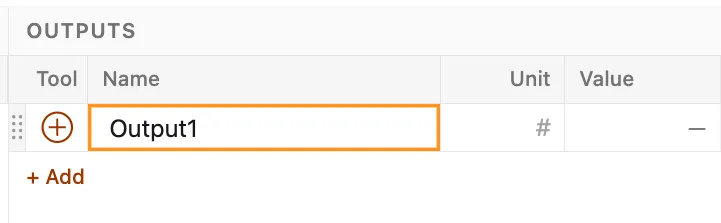
Section titled “Create an output”Outputs are added to the model by either clicking the Output button in the elements tab of the ribbon, or clicking the “+ Add” button at the bottom of the output list.
Like rows, each output has a name, unit, and value. Outputs accept tools like rows; however, each output can only hold a single tool to calculate its single value. Tools are applied to outputs in the same manner as they are applied to rows.
 Version 1.0.5
Edit an output
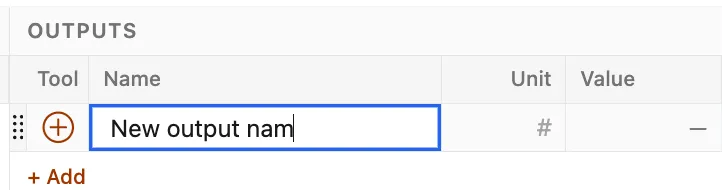
Section titled “Edit an output”Output names and units can be changed at any time by clicking into the respective dialog and making the desired change. Output tools are applied, edited, and removed using the same workflows as tools in the main grid. See Applying tools.
 Version 1.0.5
Delete an output
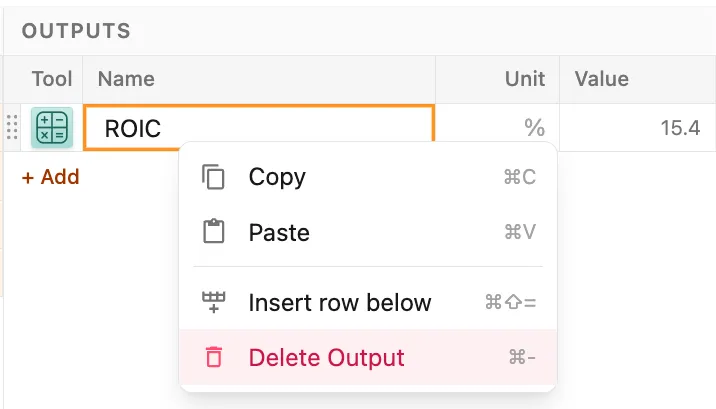
Section titled “Delete an output”Outputs are deleted by right-clicking on the output and selecting the Delete Output option.
 Version 1.0.5