Variables
 Version 1.0.5
Variables are defined, named values that are referenced by tools to calculate values in the model and can be edited directly at any time by the user. They are typically used to highlight sensitive or critical assumptions in the model. They are shown in the Model Options section above the grid and can be referenced by tools. If the control panel is not visible, click the Show/Hide button on the right edge of the screen.
 Version 1.0.5
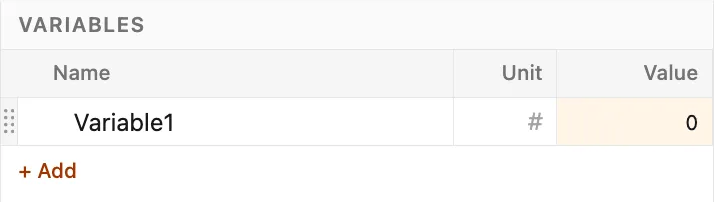
Each variable includes a name, unit, and value, which can be changed at any time by clicking into their respective inputs.
Create a variable
Section titled “Create a variable”Variables are added to the model by either clicking the Variable button in the elements tab of the ribbon, or clicking the “+ Add” button at the bottom of the variable list.
New variables appear with a default name, unit, and value, which can be edited by clicking into the respective dialog.
 Version 1.0.5
Edit a variable
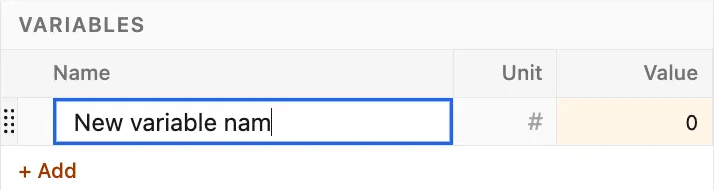
Section titled “Edit a variable”Variable names, units, and values can be changed at any time by clicking into the respective dialog and making the desired change.
 Version 1.0.5
Delete a variable
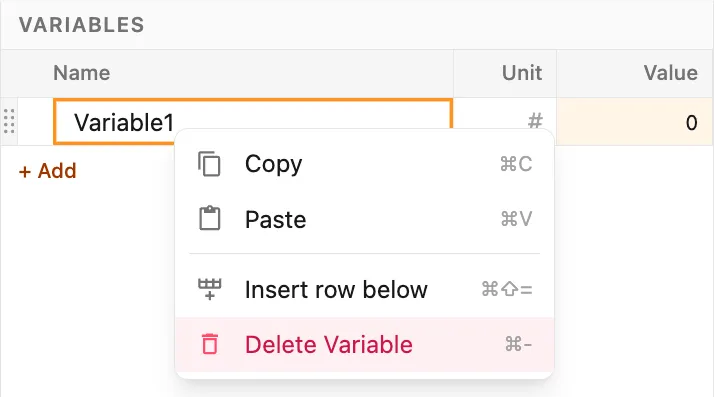
Section titled “Delete a variable”Variables are deleted by right-clicking on the variable and selecting the Delete Variable option.
 Version 1.0.5